12 Best Google Chat Integrations for Teams in 2025
Discover the top Google Chat integrations for sales, support, and ops. Connect your favorite apps and automate workflows inside Google Chat.
If your team spends its day in Google Chat, you know it's effective for internal communication. Its true potential is unlocked when you connect it to the other software your business relies on. Imagine getting real-time sales alerts from your CRM, support ticket notifications, and project updates from Asana or Jira delivered directly into a chat space. This consolidation stops the endless cycle of switching between browser tabs and brings important information directly into your conversations.
This guide will help you find the best Google Chat integrations to streamline your team's workflow. We cut through the noise to show you which tools are best suited for sales, operations, and support teams. You'll find a detailed analysis of each integration, including its specific benefits, potential limitations, and practical setup advice to get you started quickly.
We'll look at everything from simple notification bots to powerful automation platforms like Zapier and Make. Each entry includes screenshots and direct links, so you can see exactly how the integration works and where to find it. Our goal is to provide a clear, scannable resource that helps you choose the right tools to make your team more productive and your communication more efficient.
1. Chatiant
Chatiant earns its place as a top choice for its powerful, no-code approach to creating AI assistants directly within Google Chat. It transforms different company data, from knowledge bases and PDFs to websites and helpdesk content, into a centralized, conversational expert. This allows sales, support, and operations teams to get instant, accurate answers and automate tasks without ever leaving their primary communication hub.

Unlike basic Q&A bots, Chatiant stands out by connecting its AI to real business workflows through secure, custom actions. An operations team could use it to look up order statuses from a database, or a sales rep could trigger it to create a new lead in their CRM. This ability to execute tasks, not just provide information, makes it one of the most practical and robust Google Chat integrations available for automating team processes.
Key Strengths & Use Cases
- In-Workspace Operation: The entire experience lives inside Google Chat, which drives adoption because no new application is required. Teams interact with the bot in a familiar environment.
- Automated Workflows: Go beyond simple answers by triggering API calls to external systems. Use cases include creating support tickets in Zendesk, checking inventory levels in an ERP, or booking meetings on a calendar.
- Rapid, No-Code Deployment: You can train an AI agent in minutes by simply providing a URL to a website or uploading documents. Automatic data syncing keeps the assistant's knowledge current without manual updates.
- Intelligent Human Escalation: When the AI cannot resolve a query, it can intelligently route the conversation to the correct human agent or team based on skills, team schedules, or keywords.
Setup & Considerations
Setup is straightforward with a no-code interface, and a free trial allows you to test functionality before committing. While the platform is built with enterprise security and GDPR compliance in mind, its accuracy is directly tied to the quality of your source documents. Teams will see the best results by curating clean, well-structured knowledge bases. Pricing is not publicly listed, so larger teams should contact sales for a quote specific to their needs.
To see how it works firsthand, you can learn more about Chatiant's AI chatbot for Google Chat.
Website: https://www.chatiant.com
2. Google Workspace Marketplace (Works with Google Chat)
The Google Workspace Marketplace is the official, first-party source for finding verified Google Chat integrations. Think of it as Google's own app store, but specifically for tools that extend the functionality of Workspace apps like Chat, Docs, and Gmail. It serves as the central hub where you can discover, vet, and install apps directly into your company’s environment, offering a degree of security and compatibility.
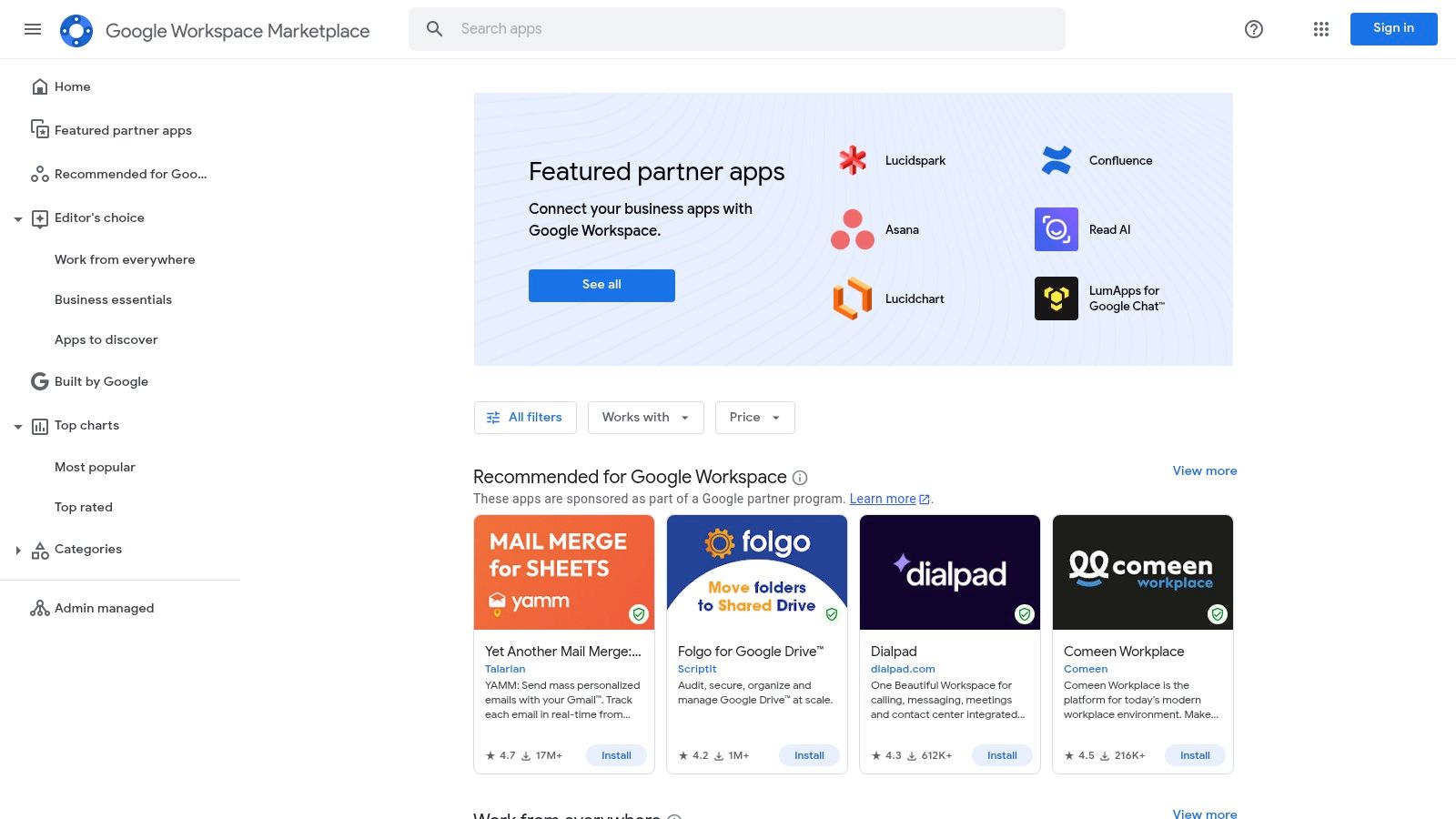
This platform is the best starting point because it offers the widest selection of apps from both Google and third-party developers. You can filter specifically for apps that "Work with Google Chat," making it easy to find relevant tools. For a closer look at some of the most popular tools, check out this curated list of apps for Google Chat. One key benefit is the administrative control; admins can manage which apps are available and even perform domain-wide installations for their teams.
Implementation & Usage Notes
The primary consideration is that your Workspace administrator might need to approve or install apps for you. App quality and documentation can also vary significantly between developers.
Pros:
- Official channel with admin oversight and security vetting.
- Largest selection of Chat integrations available.
- Direct, one-click installation into your Workspace account.
Cons:
- App quality is inconsistent across different vendors.
- Requires administrator approval for installation in many organizations.
Website: https://workspace.google.com/marketplace/
3. Google for Developers: Google Chat API and App Guides
For teams looking to build their own custom Google Chat integrations, the Google for Developers portal is the definitive resource. This isn't a marketplace for ready-made apps. Instead, it is the official documentation hub containing everything needed to create custom solutions. It provides the Chat API, client libraries, and detailed guides for developers to build apps that connect directly with their internal systems and workflows.

The platform offers quickstart guides and sample code for popular languages like Python, Node.js, and Java, making it accessible for developers with varied technical backgrounds. You can find everything from simple incoming webhook setups for one-way notifications to complex interactive app architectures. For those interested in the technical specifics, you can learn more about the Google Chat API and building apps. This approach gives you complete control over the integration's functionality, security, and deployment within your Google Workspace environment.
Implementation & Usage Notes
This resource is designed for a technical audience. Building an app requires development skills, familiarity with Google Cloud Platform for hosting and authentication, and knowledge of API-based services.
Pros:
- Authoritative, up-to-date guidance and sample code directly from Google.
- Total control to build and deeply configure custom integrations.
- Clear documentation on security and administration for custom apps.
Cons:
- Not a marketplace; it is documentation for building or self-hosting apps.
- Requires developer skills and familiarity with Workspace/Google Cloud.
Website: https://developers.google.com/chat
4. Zapier – Google Chat Integrations
Zapier is a powerful no-code automation platform that excels at connecting Google Chat integrations with thousands of other applications. It acts as a bridge, allowing you to create automated workflows, or "Zaps," between Google Chat and tools that don't have a direct, native integration. This makes it an indispensable resource for teams wanting to pipe information from almost any software into their Chat spaces without writing a single line of code.
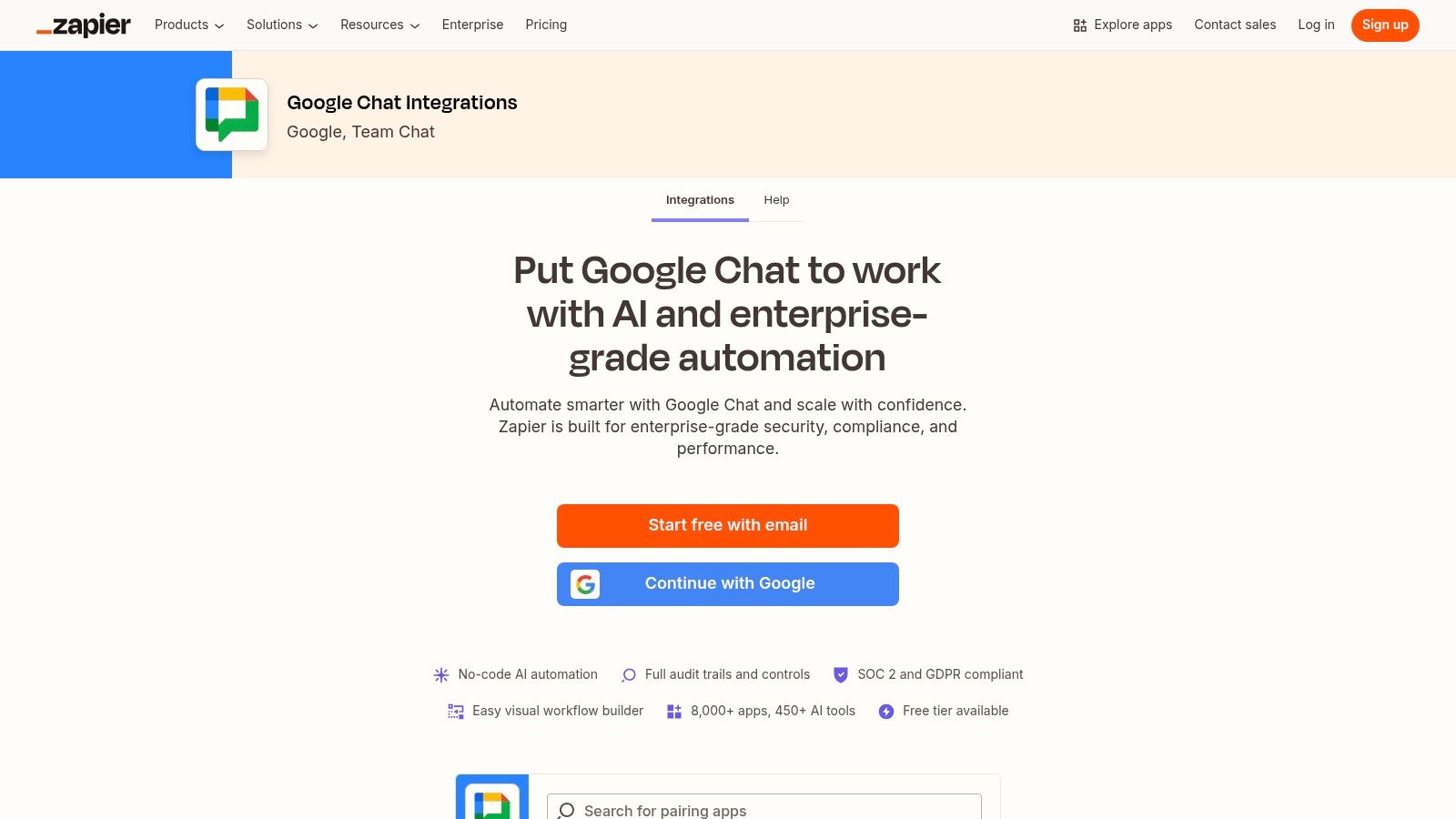
The platform stands out due to its massive app catalog, featuring over 8,000 applications. You can set up triggers in one app, like a new deal in a CRM or a new ticket in a helpdesk, to perform an action in Google Chat, such as sending a custom notification to a specific space. Pre-built templates for common automations help teams get started quickly, making it accessible even for non-technical users.
Implementation & Usage Notes
Setting up a basic Zap is straightforward with the visual builder, but creating multi-step, complex workflows requires more planning. The main consideration is cost, as the number of tasks you can run per month is tied to your subscription plan.
Pros:
- Fast to set up with an intuitive, no-code builder.
- Extensive app catalog enables countless integration scenarios.
- Good documentation and support resources are available.
Cons:
- Complex or high-volume workflows can become expensive.
- Advanced features and higher task limits require paid plans.
Website: https://zapier.com/apps/google-chat/integrations
5. Make (formerly Integromat) – Google Chat Integrations
Make is a powerful visual automation platform that allows users to design, build, and automate workflows connecting different apps and services. For teams looking for highly customizable Google Chat integrations, Make offers a flexible, drag-and-drop interface to create complex "scenarios." Instead of relying on pre-built recipes, you can visually map out logic, including routing, branching, and error handling, to automate nearly any process involving Google Chat.

The platform stands out with its real-time execution inspector, which lets you watch your automations run step-by-step to easily identify and debug issues. It connects to thousands of applications and provides a verified Google Chat connector with triggers (like receiving a message) and actions (like sending a message). This makes it ideal for operations teams wanting to build sophisticated workflows, such as automatically creating a task in a project management tool from a Chat message and then posting a confirmation back to the channel.
Implementation & Usage Notes
The main consideration with Make is its learning curve; while the visual builder is intuitive for simple tasks, creating multi-step scenarios with advanced logic requires some practice. The free plan is excellent for testing, but complex workflows or high-volume usage will likely require a paid subscription for more operations and faster data transfer intervals.
Pros:
- Powerful branching, error handling, and complex scenario support.
- Visual builder and real-time debugger simplify workflow creation.
- Free plan available for light usage and testing.
Cons:
- Steeper learning curve for building complex scenarios.
- Advanced governance and higher usage limits require paid tiers.
Website: https://www.make.com/en/integrations/google-hangouts-chat
6. Workato – Google Chat Automations (Enterprise iPaaS)
Workato is an enterprise-grade automation and integration platform that provides advanced ChatOps capabilities for Google Chat. It is designed for complex, cross-departmental workflows where robust governance, detailed audit trails, and security are priorities. This platform moves beyond simple notifications by enabling sophisticated, multi-step automations that connect Google Chat with hundreds of other business applications, from CRMs to internal databases.
Unlike simpler no-code tools, Workato provides the security and administrative controls large organizations require, including support for service accounts and OAuth 2.0. This makes it a powerful choice for creating Google Chat integrations that handle sensitive data or execute important business processes. For example, an operations team could build a workflow to approve and provision new software licenses directly from a Chat space, with every step logged for compliance.
Implementation & Usage Notes
Workato requires more initial setup and technical knowledge compared to consumer-focused automation tools. Its pricing is targeted at mid-to-large enterprises, so it may not be suitable for small teams or startups. The platform's strength is its scalability and comprehensive feature set for IT governance.
Pros:
- Strong security and compliance posture suitable for enterprises.
- Scales to complex, cross-department automation needs.
- Extensive action set for Google Chat and Workspace admin APIs.
Cons:
- Pricing is aimed at larger organizations and requires contacting sales.
- More setup and configuration required than simpler tools.
Website: https://www.workato.com/integrations/google-chat~groove
7. n8n – Google Chat Integration (Open‑Source/Cloud)
n8n is a powerful, open-source workflow automation platform for technical teams looking for maximum control and flexibility. Unlike fully managed services, n8n offers a choice between a self-hosted instance (using Docker or Kubernetes) for complete data sovereignty or their managed n8n Cloud. It stands out by providing a low-code visual builder that can be extended with custom JavaScript, making it one of the more developer-friendly Google Chat integrations.
The platform’s Google Chat node allows you to build complex automations, such as sending customized alerts from your internal systems, fetching message details, or managing spaces and members programmatically. This is ideal for operations teams that need to create custom internal tools or connect proprietary software to Google Chat without relying on a third-party service to handle their data. The community provides numerous templates to help users get started.
Implementation & Usage Notes
The main consideration for n8n is its technical nature. The self-hosted version requires infrastructure management and maintenance, which is a significant departure from purely SaaS solutions. It is best suited for teams with development resources who prioritize data control and customizability over the convenience of a no-code, turnkey platform.
Pros:
- Flexible and cost-effective at scale when self-hosted.
- Full data control with open-source, on-premise options.
- Developer-friendly model allowing custom code when needed.
Cons:
- Requires more setup and maintenance compared with fully hosted iPaaS.
- Fewer turnkey templates than platforms like Zapier or Make.
Website: https://n8n.io/integrations/google-chat/
8. Jira for Google Chat (Marketplace listing)
For development, operations, and project management teams, the official Jira Cloud app is one of the most practical Google Chat integrations available. This app connects your Jira projects directly to your Google Chat spaces, streamlining communication around tickets and tasks. It delivers real-time notifications about issue updates, comments, and status changes, keeping everyone informed without needing to constantly check the Jira interface.
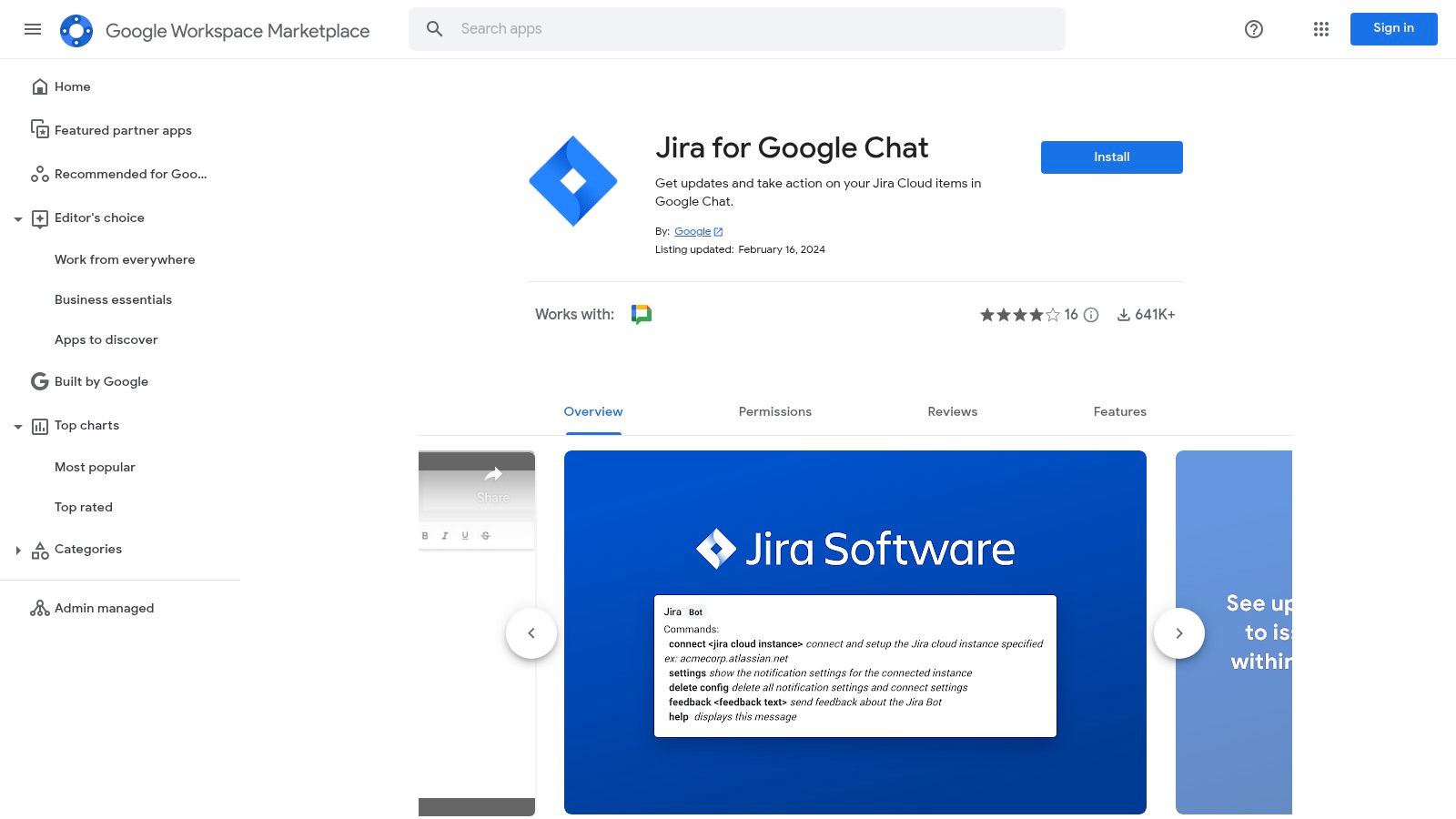
The integration’s main strength is its ability to facilitate quick actions directly from a chat message. Users can create new issues, assign them to team members, or add comments to existing tickets using simple slash commands. This functionality reduces context switching and helps teams resolve issues faster. You can subscribe a specific Chat space to a Jira project and use filters to control exactly which notifications you receive, preventing information overload.
Implementation & Usage Notes
This integration is designed exclusively for Jira Cloud and will not work with Jira Server or Data Center instances. Setup is straightforward through the Marketplace, but like other apps, it may require a Workspace administrator to install it. The functionality is focused on notifications and basic actions, not replicating the full Jira experience.
Pros:
- Official, well-supported app built specifically for Jira Cloud.
- Free and simple to install directly from the Marketplace.
- Enables quick actions like creating and assigning issues from Chat.
Cons:
- Only supports Jira Cloud, excluding Server/Data Center users.
- Functionality is limited to notifications and basic commands.
Website: https://workspace.google.com/marketplace/app/jira_for_google_chat/1063804824442
9. GitHub for Google Chat (Marketplace listing)
For engineering and operations teams, the official GitHub app is one of the most valuable Google Chat integrations available. This tool bridges the gap between your code repository and your communication hub, piping important development updates directly into designated Chat spaces. It notifies your team about new commits, pull requests, issues, deployments, and releases, keeping everyone informed on project progress without leaving their chat window.

The integration’s strength is in its simplicity and official support. Using a simple /github_subscribe command, teams can subscribe a Chat space to a specific repository and start receiving notifications instantly. It also provides helpful link unfurling, offering rich previews for pull requests, issues, and code commits shared in a conversation. Another key feature is the automated reminder for pending pull request reviews, which helps reduce bottlenecks in the development cycle.
Implementation & Usage Notes
Setting up requires authenticating with your GitHub account, and your organization's permissions might require an admin to pre-approve the app for use. While it covers the most common notifications, teams needing highly customized or complex workflows may need to supplement it with custom bots or CI/CD platform integrations.
Pros:
- Official app guarantees reliability and direct support.
- Simple slash command setup is ideal for quick adoption by engineering teams.
- PR review reminders help streamline the development workflow.
Cons:
- The set of available actions and notifications is fixed.
- Requires administrator approval in many organizations to install.
Website: https://workspace.google.com/marketplace/app/github_for_google_chat/536184076190
10. PagerDuty for Google Chat
For operations and SRE teams, PagerDuty is the standard for incident management. This integration brings important incident response workflows directly into Google Chat, transforming a standard chat space into a command center. It allows teams to manage the entire lifecycle of an incident without leaving their primary communication tool. This is one of the most powerful Google Chat integrations for maintaining system uptime and coordinating rapid responses.
The integration allows on-call engineers to create, acknowledge, and resolve incidents using simple slash commands inside a chat. When a new incident occurs, automated notifications are sent to designated spaces, providing immediate visibility to all relevant stakeholders. This setup is ideal for creating "war rooms" inside Google Chat, where teams can collaborate in real-time to diagnose and fix issues, all documented within the chat thread for post-incident reviews.
Implementation & Usage Notes
The primary requirement is that your organization must already be a PagerDuty customer. Setting up the integration involves configuration by both a Google Workspace administrator and a PagerDuty administrator to properly link the two accounts and map services to chat spaces.
Pros:
- Purpose-built ChatOps for SRE and on-call workflows.
- Backed by PagerDuty's robust incident management platform.
- Enables rapid, collaborative incident response inside Chat.
Cons:
- Provides the most value to teams already using PagerDuty.
- Requires admin configuration across both Workspace and PagerDuty.
Website: https://www.pagerduty.com/integrations/google-chat/
11. Asana + Google Chat (Asana integration page)
For teams managing projects in Asana, this official integration brings core project management functions directly into your conversations. It connects Asana’s robust task management with Google Chat’s real-time communication, allowing teams to act on project updates without leaving their chat window. This native link is designed to centralize notifications and basic task creation, keeping project momentum high.
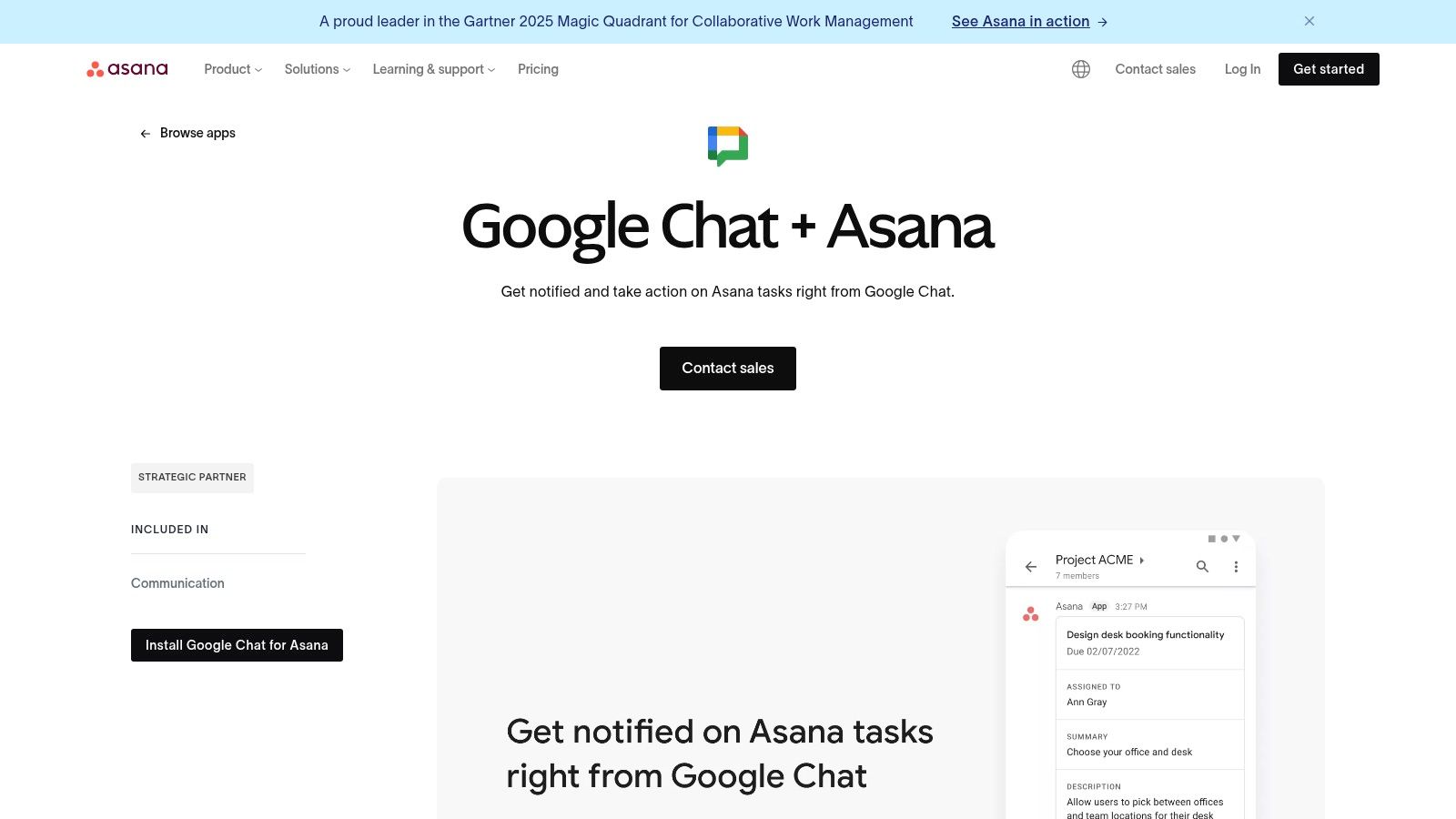
The integration delivers instant notifications for task changes, comments, and completions directly to specified Chat spaces. Users can utilize slash commands like /asana_createTask to quickly generate new tasks from a conversation, and links to Asana tasks automatically unfurl to show key details. For a broader view of how Asana connects with various tools, you can explore the best Asana integrations for 2024 to see how it fits into a larger workflow.
Implementation & Usage Notes
Setting up the integration is straightforward, but it does require each user to link their Asana and Google Workspace accounts for full functionality. While great for quick updates and task creation, complex actions like editing custom fields or managing project timelines still require a visit to the full Asana application.
Pros:
- Streamlines workflows for existing Asana users.
- Keeps project discussions and task updates in a single location.
- Simple slash commands make task creation fast and efficient.
Cons:
- Deeper Asana features are not accessible from within Chat.
- Requires individual account linking for each team member.
Website: https://asana.com/apps/googlechat
12. Trello for Google Chat (Atlassian support/integration)
For teams that live and breathe project management in Trello, this native Google Chat integration is a straightforward way to keep everyone updated. It connects your Trello boards directly to Chat spaces, pushing real-time notifications about card movements, comments, and other board activities. The integration is managed through the Atlassian support documentation, which guides you through setting up the Trello Power-Up and configuring the @Trello bot for specific rooms.
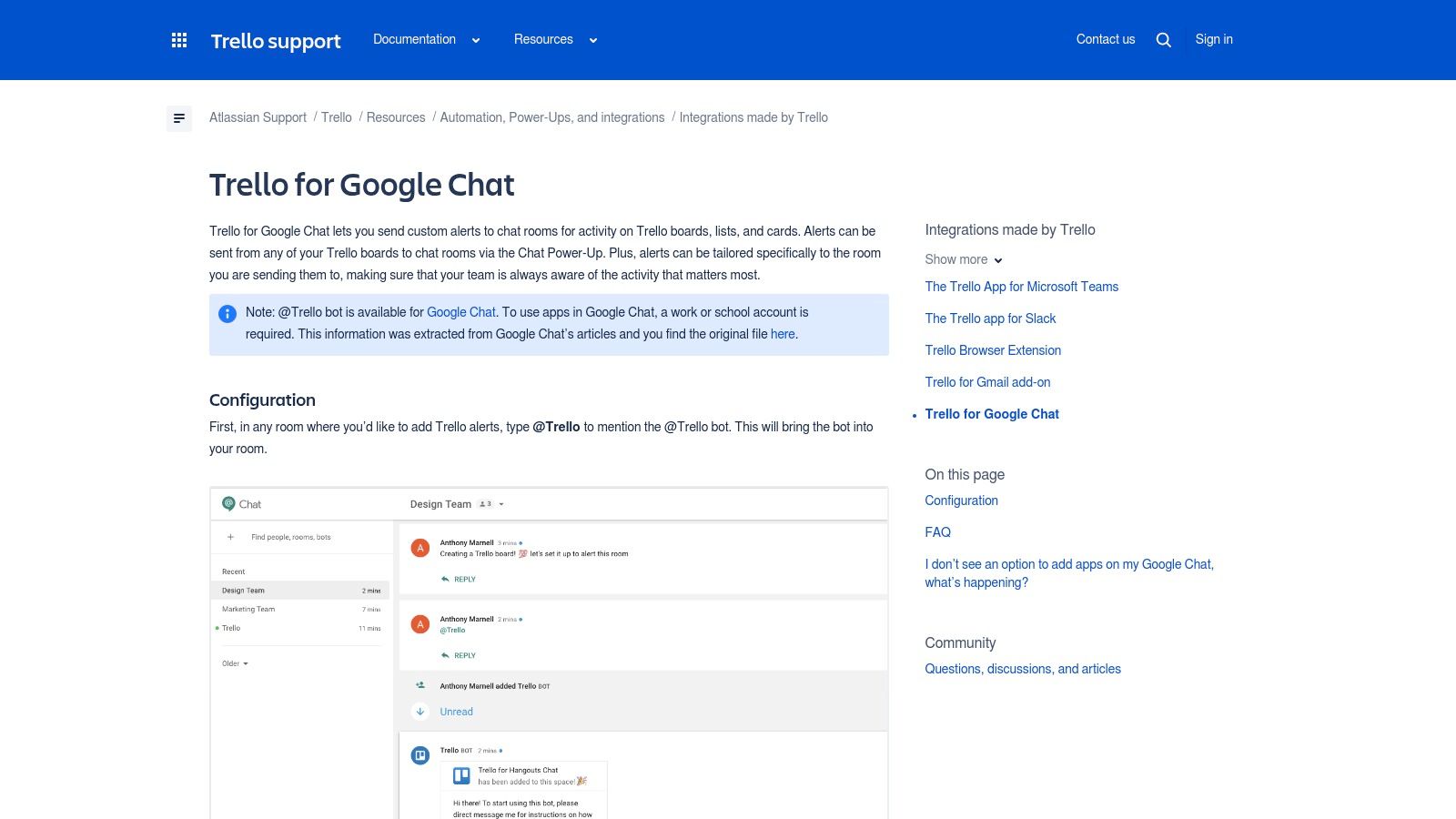
This setup is ideal for operations and development teams that need immediate visibility on project progress without leaving their primary communication tool. You can set up room-specific alerts, so a marketing team's Chat space only receives updates from the marketing board, while the engineering space gets notifications from its own. It's a lightweight solution focused on keeping teams informed and reducing the need to constantly check Trello for status updates.
Implementation & Usage Notes
The main thing to know is that setup requires board-by-board configuration by enabling the Power-Up within Trello itself. The functionality is also primarily one-way; it sends information from Trello to Chat but offers very few actions you can take from within the chat window.
Pros:
- Lightweight way to keep teams informed of Trello activity.
- Backed by the Atlassian/Trello ecosystem and documentation.
- Highly configurable room-specific alerts for relevant updates.
Cons:
- Primarily notification-focused with limited in-Chat actions.
- Requires enabling Power-Ups and configuration per Trello board.
Website: https://support.atlassian.com/trello/docs/trello-for-google-hangouts-chat/
Top 12 Google Chat Integrations — Feature Comparison
Choosing the Right Integrations for Your Workflow
The tools we've explored show that Google Chat can be much more than a simple messaging application. It can become a centralized hub for your team's most important activities, from monitoring sales pipelines to resolving urgent support tickets and managing complex development projects. The key is to move beyond manual updates and context switching by bringing key notifications and actions directly into your conversations.
We covered a spectrum of google chat integrations, from dedicated app connectors like Jira and Asana to powerful automation platforms like Zapier, Make, and Workato. Each serves a distinct purpose. A direct integration is great for a single, deep connection, while an automation platform lets you orchestrate complex, multi-app workflows. Tools like Chatiant take this a step further, allowing you to build specialized AI assistants that operate natively within Chat.
How to Select the Best Tools for Your Team
The best integration isn't the one with the most features; it's the one that solves a specific, recurring problem for your team. Before you start connecting applications, take a step back and identify the biggest bottlenecks in your current processes.
Consider these questions:
- What information do we constantly have to look up? Think about CRM data for sales, ticket statuses for support, or build statuses for developers.
- Which repetitive tasks consume the most time? This could be creating tasks from messages, updating project boards, or logging customer interactions.
- Where do communication breakdowns happen? Often, it's when information stays siloed in one application and doesn't reach the relevant people in Chat.
Answering these questions will point you toward the right solution. If you're struggling with repetitive, cross-app tasks, an automation platform is a great starting point. To further optimize your strategy, you can get a broader understanding of platform integration, which is important for connecting applications and automating workflows. If your primary goal is to surface specific data from a key tool like PagerDuty or GitHub, a dedicated integration is more efficient.
Final Thoughts on Implementation
Start small. Choose one significant pain point and find an integration that directly addresses it. For example, a support team might start by piping PagerDuty alerts into a dedicated Chat space. A sales team could begin by setting up a Zapier automation that posts new high-value leads from their CRM.
By thoughtfully selecting and implementing google chat integrations, you transform your communication platform into a powerful operational engine. This shift helps reduce friction, improve visibility, and allow your teams to focus on what they do best, all from the convenience of a single interface.
Ready to build a custom AI assistant for your team inside Google Chat? Chatiant provides the tools to create specialized bots that can answer questions, automate support tasks, and guide sales processes without needing to write code. Discover how you can centralize your team's knowledge at Chatiant.

Mike Warren
Porttitor pellentesque eu suspendisse porttitor malesuada odio tempus enim. Vitae nibh ut dui ac morbi lacus. Viverra in urna pretium hendrerit ornare enim mauris vestibulum erat.